Travel
What Is FedEx Trip Buddy? A Simple Guide for Linehaul Drivers

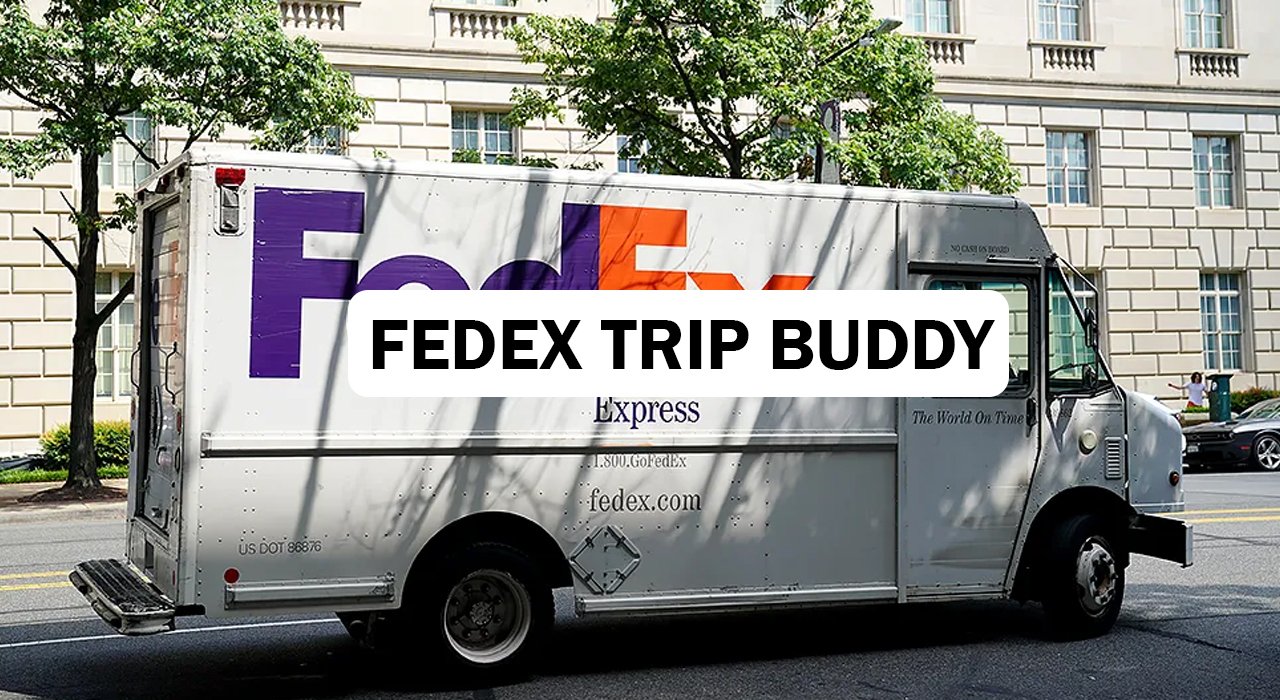
FedEx Trip Buddy, also known as the Mobile Trip App (MTA), is a web-based tool that FedEx Ground uses to manage check-in and check-out for linehaul drivers. It replaced the older Vector app and now runs at FedEx Ground hubs and most stations that handle linehaul operations. The tool connects directly to FedEx Ground’s dispatch and transportation management systems, so drivers and service providers can complete their paperwork without waiting in line or calling a dispatcher. This guide explains what the app does, who uses it, and why it matters for daily linehaul operations.
What Trip Buddy Actually Does
Trip Buddy is not a shipping app for everyday customers. It is an internal system built for FedEx Ground linehaul service providers and staff who move trailers between hubs and stations. The app creates a fully contactless process for checking in and dispatching each trip, which means drivers no longer need face-to-face contact with dispatch staff to start or finish a run.
Every trailer a driver picks up or drops off gets logged in the system in real time. This keeps records accurate and reduces the paperwork mix-ups that used to slow down linehaul routes.
Who Uses FedEx Trip Buddy
The app is meant for two groups: FedEx Ground Linehaul staff and Linehaul service providers under contract with FedEx Ground. Purchased Transportation carriers are not included in this system. Each authorized driver receives a FedEx ID and a password to access the tool.
Because Trip Buddy is a mobile-friendly website rather than a downloadable app, drivers do not need to visit an app store to use it. They simply open the site on a phone or tablet at the hub and log in with their credentials.
How the Check-In Process Works
When a driver arrives at a hub, they call in or check in through Trip Buddy instead of contacting a dispatcher directly. The system records the trailer number, arrival time, and trip details automatically. Drivers also log every empty or loaded trailer they touch, which keeps the dispatch record current throughout the shift.
This setup removes a common bottleneck: waiting on a busy dispatcher. Some drivers previously relied on texting an operations manager, who then called an automated line before texting back a confirmation. Trip Buddy lets qualified drivers dispatch themselves through the same automated system, cutting out extra steps and reducing the chance of missed messages.
Why FedEx Replaced the Vector App
Before Trip Buddy, FedEx Ground linehaul operations used an app called Vector for contactless check-in and check-out. FedEx discontinued Vector and moved fully to the Mobile Trip App to standardize the process across hubs and stations.
The rollout was gradual, starting at select facilities before expanding company-wide ahead of peak shipping season. FedEx encouraged service providers to adopt the new system early so operations would run smoothly once Vector was phased out completely.
Benefits for Drivers and FedEx Ground
For drivers, Trip Buddy saves time. Instead of waiting for a callback or dealing with a distracted dispatcher, they can check in and get back on the road faster. This is especially useful during high-volume periods when dispatch lines get backed up.
For FedEx Ground, the app improves accuracy and accountability. Because every trailer movement is logged directly into the TMS, there is less room for human error or missed entries. This creates a cleaner record for tracking trips and managing the linehaul network.
Getting Started With Trip Buddy
New users need a FedEx ID and a password to log in. Passwords are valid for 90 days, after which drivers must reset them to keep access to the system. Service providers can share the Mobile Trip App User Guide with their staff to walk through setup and daily use.
Since Trip Buddy is a website rather than a native app, it works across most devices with a web browser and an internet connection. Drivers should confirm their login details are current before their shift to avoid delays at check-in.
Conclusion
FedEx Trip Buddy has become a core part of daily operations for FedEx Ground linehaul drivers and service providers. By replacing manual check-ins with a contactless, web-based system, it saves time, reduces errors, and keeps dispatch records accurate across the network.
Frequently Asked Questions
Is FedEx Trip Buddy available to the public?
No. It is an internal tool for FedEx Ground Linehaul staff and contracted service providers, not for regular customers tracking packages.
Do I need to download Trip Buddy from an app store?
No. Trip Buddy is a mobile-friendly website, so drivers access it through a web browser instead of downloading an app.
How often do I need to reset my Trip Buddy password?
Passwords expire every 90 days, so drivers must reset their credentials regularly to keep using the system.
What replaced the Vector app at FedEx Ground?
The Mobile Trip App, known as Trip Buddy, replaced Vector for contactless linehaul check-in and check-out.
Who can use FedEx Trip Buddy?
Only FedEx Ground Linehaul staff and Linehaul service providers under contract can use it. Purchased Transportation carriers are not included.
Hungry for more? Check out the latest updates at Cyber Que


INS Full Form Explained: What Does INS Really Mean?

What Does “Faccccccccccccc” Mean? The Viral Internet Word Explained

What Is FedEx Trip Buddy? A Simple Guide for Linehaul Drivers

What Is a Fonendi? Simple Guide to the Stethoscope Doctors Use

What Is Acamento? The Simple Meaning Behind This New Word

What Is Nionenad? A Simple Guide to This New Internet Word

Best Tarta de Espinaca Near Me: A Simple Guide for Spinach Pie Lovers

Koi Fish: What They Are and Why People Love Them

Ketchum, Idaho: A Small Mountain Town With Big Adventures

Pinoroduct Com Review: Is This Online Shop Safe to Use in 2026?

Cadibara vs Capybara: What’s the Real Difference?

Authorised Medical Attendant: Meaning, Role, and Why It Matters for You
Best Tarta de Espinaca Near Me: A Simple Guide for Spinach Pie Lovers
Koi Fish: What They Are and Why People Love Them
Ketchum, Idaho: A Small Mountain Town With Big Adventures
Pinoroduct Com Review: Is This Online Shop Safe to Use in 2026?
Cadibara vs Capybara: What’s the Real Difference?
Authorised Medical Attendant: Meaning, Role, and Why It Matters for You
-
 Food4 months ago
Best Tarta de Espinaca Near Me: A Simple Guide for Spinach Pie Lovers
-
 Food4 months ago
Koi Fish: What They Are and Why People Love Them
-
 Blog4 months ago
Ketchum, Idaho: A Small Mountain Town With Big Adventures
-
 Blog4 months ago
Pinoroduct Com Review: Is This Online Shop Safe to Use in 2026?
-
 Education4 months ago
Cadibara vs Capybara: What’s the Real Difference?
-
 Health4 months ago
Authorised Medical Attendant: Meaning, Role, and Why It Matters for You
-

 Blog4 months ago
What Does “Fkstrcghtc” Mean? The Strange Word Everyone Is Searching
-

 Technology4 months ago
Droven IO Cybersecurity Updates: Easy Guide to Staying Safe Online in 2026